IRC for Dummies using Pidgin
I’m ashamed to admit I’ve been avoiding IRC for a while. I recently joined a local Linux user group whose very cool members all communicate through IRC.
I was surprised how easy it was to set up in Pidgin, the Linux IM app I’m using. I thought I’d share the joy.
Here’s how to make it happen.
Once Pidgin is installed and good to go, add an IRC account by clicking Accounts > Manage Accounts.
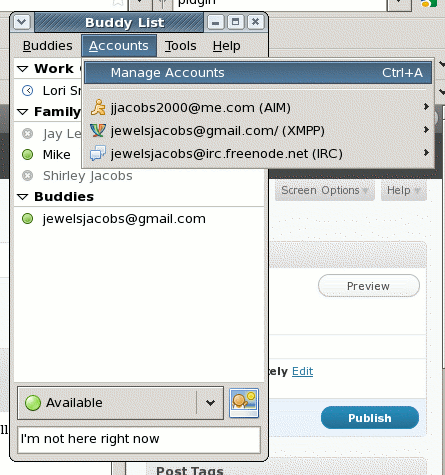
In the Accounts window click the Add button.

Choose the IRC Protocol
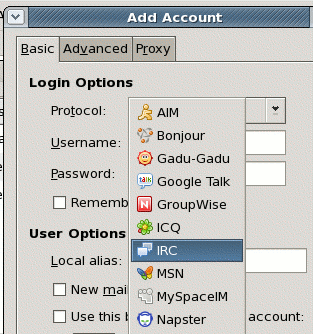
In the Basic Tab, choose a new Username and Password. Your password cannot be the same as your username. You will register it in a minute. Keep Server irc.freenode.net.
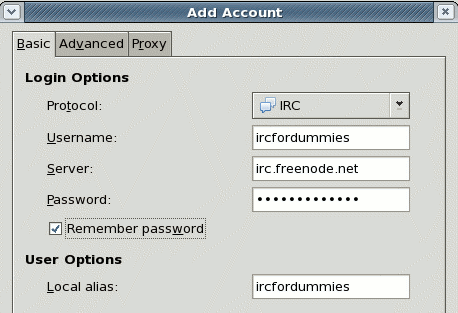
Click the +Add and Close out of both windows.
You will see a an irc chat window that looks like this (ignore the other tabs):
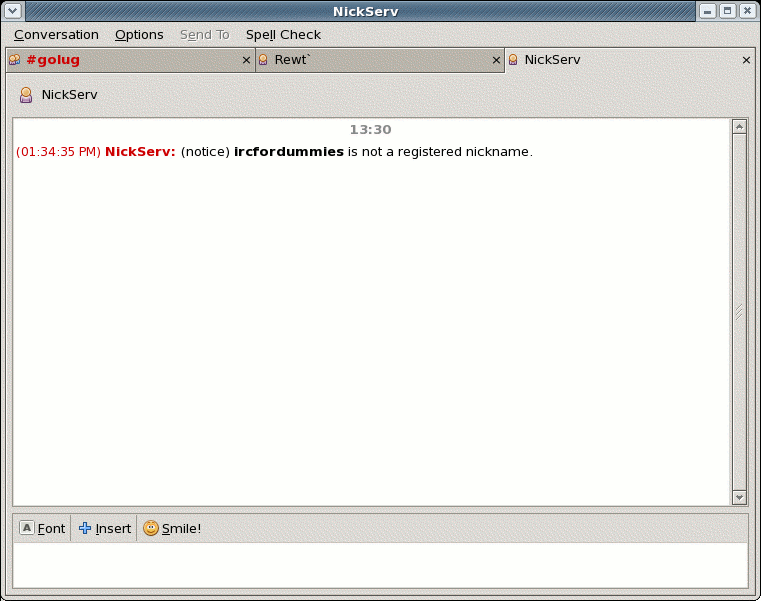
Type REGISTER <your password> <your email address>
You will receive an email with instructions on how to proceed.
Now if you go to Buddies > Join a Chat and pick your IRC account you can click the Room List button to see a list of rooms or type a room name to join that room.
Have fun!

 Open Source and the Magic LAMP
leave a comment